

Risk Register Template for Construction Projects: What to Include

Every construction site is a dynamic, high-stakes environment where conditions change daily. Managing the myriad of risks that come with moving vehicles, heavy machinery, working at heights, and shifting weather conditions is no small feat. That is exactly why a risk register template for construction projects isn't just a nice-to-have; it's the backbone of a safe, efficient site.
However, simply having a static template saved on a computer in the head office doesn't actually stop a worker from stepping onto a site without the right PPE. To run safer sites without adding an administrative burden to your team, you need to know exactly what elements a robust risk register requires, and more importantly, how to take it from a static document to an active, site-specific safety tool.
In this guide, we'll walk through exactly what you need to include in your construction risk register template and explore how leading operations managers are moving beyond paper to gain real-time visibility over every contractor and worker across their network.
What is a Construction Risk Register?
A construction risk register is a centralised document that identifies, evaluates, and tracks potential risks on a construction site. Think of it as a master log of "what could go wrong" and "how we are going to prevent it."
Whether it’s a delay in materials, an unvetted contractor, or a physical safety hazard, the risk register outlines the likelihood of the event occurring, the potential impact, and the proactive steps required to mitigate that risk.
While compliance is a critical outcome of maintaining a risk register, the real value lies in operational ease. A well-structured register gives site managers and enterprise leaders the confidence that they have a plan for the unpredictable.
Essential Elements: What to Include in Your Risk Register Template
If you are building a risk register template for construction projects from scratch or auditing your current version, ensure it includes the following critical components. We recommend organising these into clear columns.
1. Risk Identification Number (ID)
Every risk needs a unique identification number. This makes it easy to reference specific hazards during toolbox talks, site inductions, or cross-departmental meetings.
2. Risk Description & Category
Clearly define the risk. Be specific rather than generic. Instead of writing "Weather," write "Heavy rainfall causing trench collapse." Categorise the risk (e.g., Health & Safety, Financial, Environmental, or Operational) so you can easily filter your data.
3. Hazard Identification (What is the root cause?)
What is creating this risk? For example, if the risk is a fall from height, the hazard might be an unsecured scaffolding platform. Identifying the root cause is the first step toward building a meaningful Safe Work Method Statement (SWMS).
4. Initial Risk Assessment (Likelihood and Impact)
Use a standard risk matrix to score the risk before any preventative measures are taken.
- Likelihood: How probable is it that this will happen? (Rare, Unlikely, Possible, Likely, Almost Certain)
- Impact: If it happens, how bad will it be? (Insignificant, Minor, Moderate, Major, Severe)
- Risk Score: A combined metric (e.g., High, Medium, Low) that dictates how urgently the risk must be addressed.
5. Mitigation Strategies & Preventive Actions
This is the most important column in your risk register template for construction projects. What steps are you taking to drive this risk as close to 0% as possible? This might include:
- Implementing digital SWMS before work begins.
- Mandating specific PPE.
- Requiring pre-qualification checks for all subcontractors.
6. Residual Risk Assessment
Once your mitigation strategies are in place, re-evaluate the likelihood and impact. Your residual risk score should ideally sit in the "Low" or "Acceptable" category. If it doesn't, you need stronger preventative actions.
7. Risk Owner
Every risk must have a single point of accountability. Who is responsible for ensuring the mitigation strategies are enforced? Name the role (e.g., Site Supervisor, Crane Operator) or the specific individual.
8. Status & Review Date
Risks evolve as a project progresses from excavation to fit-out. Include a status column (Open, Closed, Monitoring) and a strict date for when the risk will next be reviewed.
The Hidden Danger of Paper-Based Risk Registers
Knowing what to include in a risk register template for construction projects is only half the battle. The biggest risk to enterprise operations today isn't a lack of documentation; it's the format of that documentation.
Traditional paper-based templates, Excel spreadsheets, and basic QR-code visitor systems create a massive disconnect between the head office and the reality on the ground. When your safety documentation sits in a glove box or on a clipboard, you expose your enterprise to significant pain points:
- Zero Real-Time Visibility: The head office has no idea who is actually on any given site at any moment, or if they are compliant.
- Unverified Contractors: Workers arrive without verified credentials, licenses, or completed inductions.
- Defenceless Audits: Paper forms get lost, damaged, or pencil-whipped, creating no verifiable audit trail and failing during WHS inspections.
- Operational Inefficiency: Site managers waste hours manually chasing contractor credentials instead of managing the build.
Moving Beyond the Template: How Site360 Digitises Risk Management
Site360 isn’t just another compliance tool; it is a cloud-based SaaS platform designed to give multi-site enterprises real-time visibility and control over every contractor, worker, and visitor. We take the principles of your risk register and turn them into automated, seamless workflows.
Here is how Site360 makes keeping things safe and legal entirely effortless for the enterprise, the site manager, and the worker on the ground:
Pre-Qualification: Stopping Risk Before the Gate
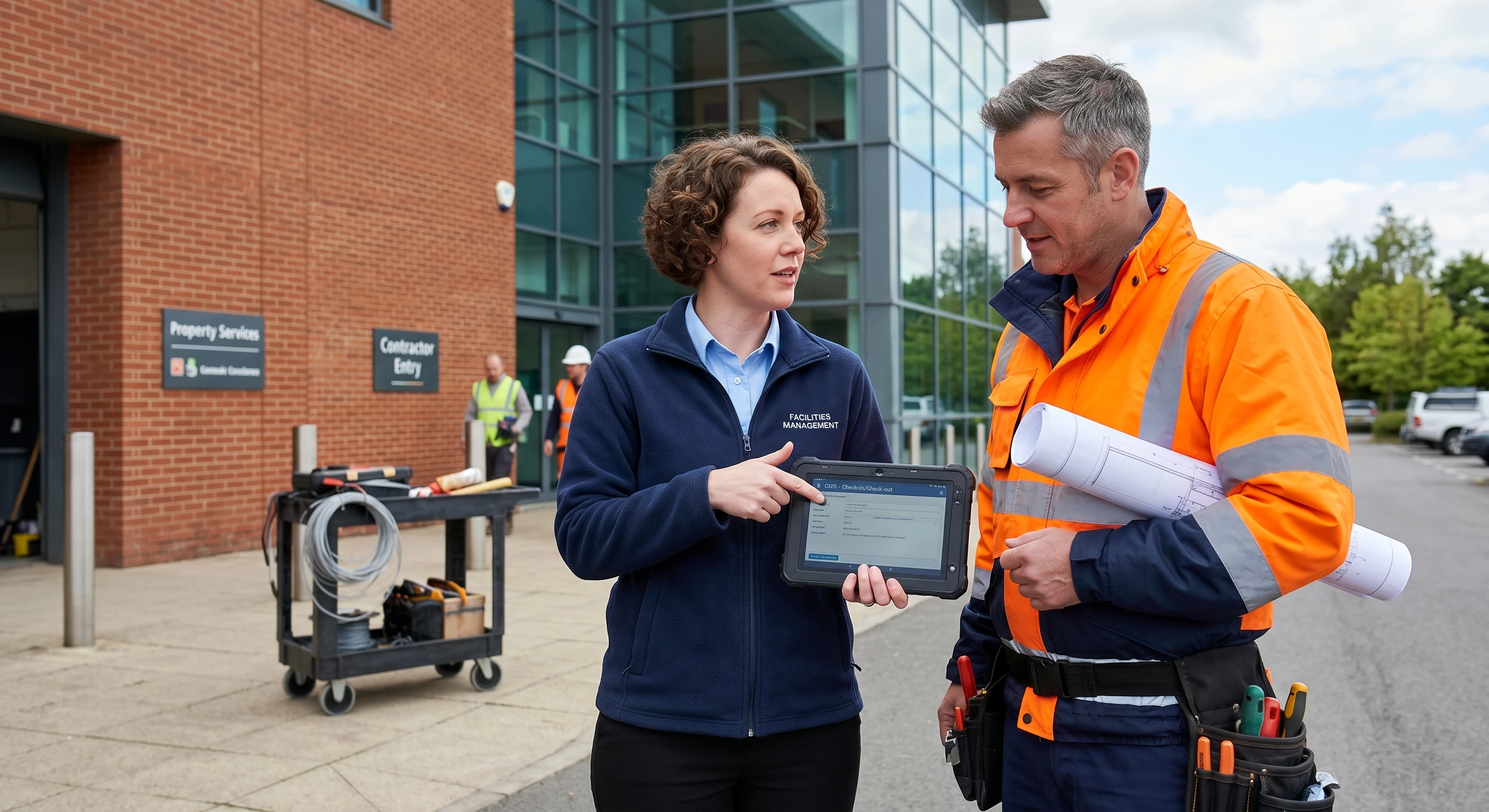
For enterprise leaders, pre-qualification is the ultimate risk management lever. Before a contractor ever arrives on site, Site360 verifies everything: identity, licenses, insurances, and training certifications for both the individual and their employing business. Risk is mitigated before a worker ever sets foot on your site.
Verifiably Site-Specific Digital SWMS
Safe Work Method Statements (SWMS) are a legal requirement for builders, yet they are often left in the car, effectively rendering the site non-compliant. Site360 digitalises the SWMS. Using our patented geo-fencing technology, the document automatically captures exactly where, when, and who completed it. The worker simply signs on their phone; everything else is auto-populated. Unlike basic QR codes, our geo-fencing verifiably proves the worker was physically on-site, making every record legally defensible.
Automated Flagged Items & Incident Closeout
Your risk register requires corrective and preventative actions (CAPA). Site360 automates this. If a worker checks in and answers "No" to wearing required PPE, the system triggers a risk threshold. The item is automatically flagged, assigned to the relevant supervisor, and tracked through to resolution with a full communication thread and photo evidence.
Dead-Simple Worker Experience
We know that if a system is hard to use, workers won't use it. Site360 is exceptionally simple for the contractor. They open the app and hit check-in. The geo-fencing handles the rest. Based on their role, they are served the exact site-specific induction, SWMS, and forms they need. No paperwork. No clunky kiosks. No complexity.
The "Done-For-You" Difference
Perhaps the biggest hurdle in upgrading from an Excel risk register template to a digital platform is the setup. With Site360, clients don't need to learn how to build forms or configure software. You tell us what you want, your workflows, your inductions, your forms, and our team builds and configures it entirely on your behalf.
Building a comprehensive risk register template for construction projects is the first step toward safer site operations. Ensuring you have documented hazards, risk scores, and clear mitigation strategies will set the foundation for your safety protocols.
However, the future of enterprise site management relies on taking those static documents and turning them into real-time, automated actions. By utilising Site360, you eliminate the paperwork, automate credential verification, and ensure every SWMS is site-specific and legally defensible.
Ready to ditch the paper templates and gain total visibility over your sites? Let us do the heavy lifting. Discover how Site360 can configure a custom, automated site operations system for your enterprise today.
Frequently Asked Questions
What is the difference between a risk register and a SWMS?
A risk register is a high-level, project-wide document that tracks all potential risks across a construction site (financial, environmental, and safety). A Safe Work Method Statement (SWMS) is a highly specific, task-based document detailing how high-risk construction work (e.g., working near live electrical installations) will be carried out safely.
Who is responsible for updating the construction risk register?
Typically, the Project Manager or Site Operations Manager is responsible for maintaining and updating the risk register. However, identifying and reporting new risks is a shared responsibility among all site personnel.
How often should a risk register be reviewed?
At a minimum, it should be reviewed monthly, but ideally, it should be referenced and updated during weekly site meetings or whenever a new phase of construction begins. Digital platforms like Site360 allow for continuous, real-time risk monitoring.



_%20Definition%2C%20Calculation%2C%20and%20Examples.jpg)

_.webp)

%20A%20Guide%20for%20Construction%20(Hero).webp)
.png)










.jpg)